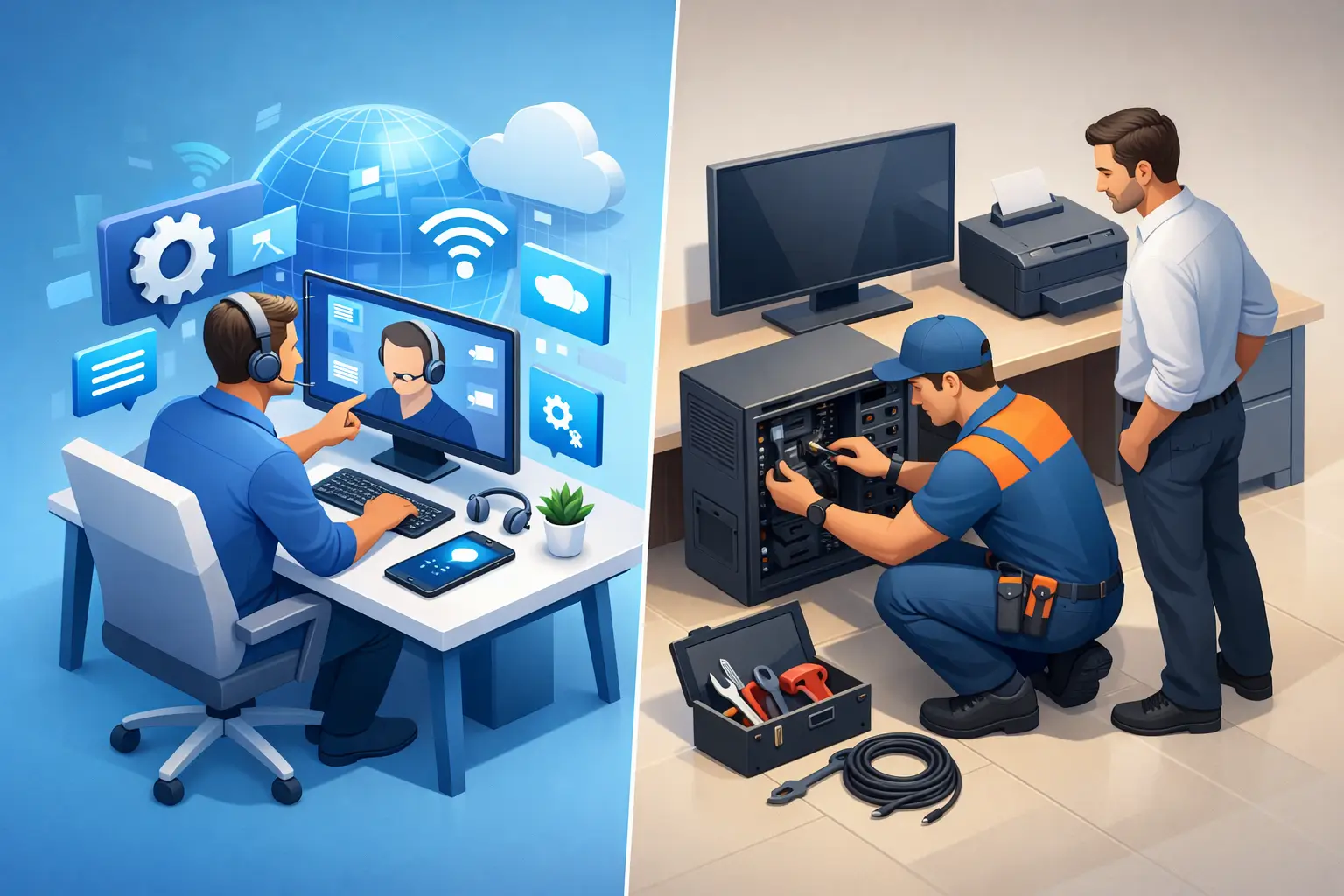
When your computer stops cooperating at 8:30 on a workday, the question is not academic. You need to know whether remote support vs onsite repair is the faster, safer, and more cost-effective way to get back up and running.
For a lot of problems, remote help is the quickest path. For others, having a technician in the room is the only thing that makes sense. The right choice depends on what failed, how urgent the issue is, and whether the problem lives in software, hardware, or the network around it.
Remote support vs onsite repair: what is the difference?
Remote support means a technician connects to your computer or guides you by phone to diagnose and fix the issue without traveling to your location. It works best when the device still powers on, connects to the internet, and lets the technician access the system. This is often the fastest option for software errors, email issues, printer setup, malware cleanup, slow performance, user account problems, and many operating system settings.
Onsite repair means the technician comes to your home or business and works directly on the device, network, or equipment in person. That matters when the computer will not boot, the internet is down across the property, there is a hardware failure, the problem affects multiple devices, or the issue involves cables, routers, servers, firewalls, or workstation setups that need hands-on testing.
The easiest way to think about it is simple. If the problem can be reached through the screen, remote support may be enough. If the problem requires touching the machine, testing parts, tracing wiring, or checking the full environment, onsite repair is usually the better call.
When remote support is the smarter choice
Remote service is built for speed. If your laptop is running but acting strangely, a technician can often start diagnosis right away instead of waiting for travel time or asking you to pack the device and drive to a shop.
That convenience matters for remote workers, students, and small business owners who cannot afford to lose half a day just getting help. Software conflicts, printer mapping, Microsoft 365 issues, virus symptoms, browser problems, password resets, and startup errors are all common examples where remote help can save time.
It can also save money when the fix is straightforward. If a technician can identify the issue quickly and resolve it in one session, you avoid the extra delay that comes with transporting equipment or scheduling a visit around store hours. For businesses, remote access is especially useful when one employee has a problem but the rest of the office is functioning normally.
There is one important trade-off. Remote support depends on enough of the system still working. If the machine has no power, no display, no internet connection, or a failing drive that keeps dropping out, remote service may only get you part of the way before an onsite visit becomes necessary.
When onsite repair is worth it
Some problems need eyes, hands, and tools on the scene. A desktop that will not turn on, a laptop with a damaged charging port, a workstation overheating under load, or a network closet with unstable equipment is not something you want diagnosed through guesswork.
Onsite service is also the better option when the issue affects multiple devices at once. If your office computers keep losing internet, your printers are offline, and the server is unreachable, the real problem may sit at the switch, firewall, modem, or cable path. That kind of issue is faster to solve in person because the technician can test the whole environment instead of troubleshooting one symptom at a time.
For home users, onsite repair is often the least stressful option when the device is physically damaged or too unreliable to transport. For businesses, it is often the best choice for network support, workstation deployment, server troubleshooting, and any problem where downtime is spreading beyond one user.
In those situations, the value is not just repair. It is clarity. A technician can see how everything is connected, identify weak points, and explain what happened in plain English.
Cost, downtime, and convenience
People usually ask which option is cheaper, but the better question is which option gets the problem solved with the least disruption.
Remote support often wins on immediate convenience. There is no packing up the device, no waiting in line at a shop, and no wondering when someone will finally look at it. If the issue is software-based, remote service can shorten downtime dramatically.
Onsite repair can cost more time on the front end because it involves travel and scheduling, but it can save money overall when the problem is physical or affects several systems. One onsite visit that fixes the root cause is better than three remote sessions that cannot reach the actual failure.
For small businesses, downtime usually costs more than the repair itself. If employees cannot work, phones are affected, or your network is unstable, the fastest complete fix is usually the most affordable option in practice. For homeowners and remote workers, convenience matters just as much. A repair option that avoids disconnecting your whole day has real value.
Security concerns are real, and they should be addressed clearly
Some customers are comfortable with remote access. Others are not, and that is understandable. A trustworthy technician should explain how remote support works, what will be accessed, and what you can expect during the session.
Remote support should never feel vague or rushed. You should know who is connecting, what they are doing, and when the session ends. If the problem involves sensitive business systems, financial records, or private files, that conversation matters even more.
Onsite repair can feel more reassuring because you can see the work being done in front of you. That said, in-person service also requires trust, especially when someone is handling your devices, business network, or home office equipment. In either case, clear communication is a big part of good service.
How to choose between remote support vs onsite repair
Start with three basic questions. Does the device power on? Does it connect to the internet? Is the issue limited to one machine, or does it affect multiple devices or the network itself?
If the computer turns on and gets online, remote support is usually the first move. It is fast, practical, and often enough for software and user-level problems. If the machine will not boot, has physical damage, makes unusual noises, loses power, or keeps dropping off the network, onsite repair is more likely to solve the problem efficiently.
For business owners, think beyond the one device that seems broken. If the issue may involve your router, firewall, server, shared drives, printers, or office-wide connectivity, onsite support is often the safer choice because the real cause may be somewhere else in the chain.
For home users, the choice often comes down to hassle. If a remote session can get things fixed without unplugging your setup or driving anywhere, that is usually the easiest route. If not, having someone come directly to you removes the stress of transporting equipment and guessing what is wrong.
The best service companies offer both
You should not have to force every problem into one service model. Good support starts with diagnosis, then moves to the repair method that makes sense.
That is why a flexible approach works best. Sometimes a quick remote session confirms the issue and gets it solved immediately. Sometimes it identifies a failing part or a network problem and saves time by showing exactly what needs to happen onsite. Either way, the goal is the same: fix the issue quickly, explain it clearly, and keep the process simple.
At Don’t Panic! Computer Repair, that practical approach matters because customers are usually calling with an urgent problem, not a lot of spare time, and no interest in technical runaround. They want to know what is wrong, what it will take to fix it, and how fast normal life or business can resume.
If you are stuck deciding between remote help and an in-person visit, do not overthink it. Start with the symptoms, be honest about how much is still working, and choose the option that gets you to a real diagnosis fastest. The right support should lower your stress, not add to it.