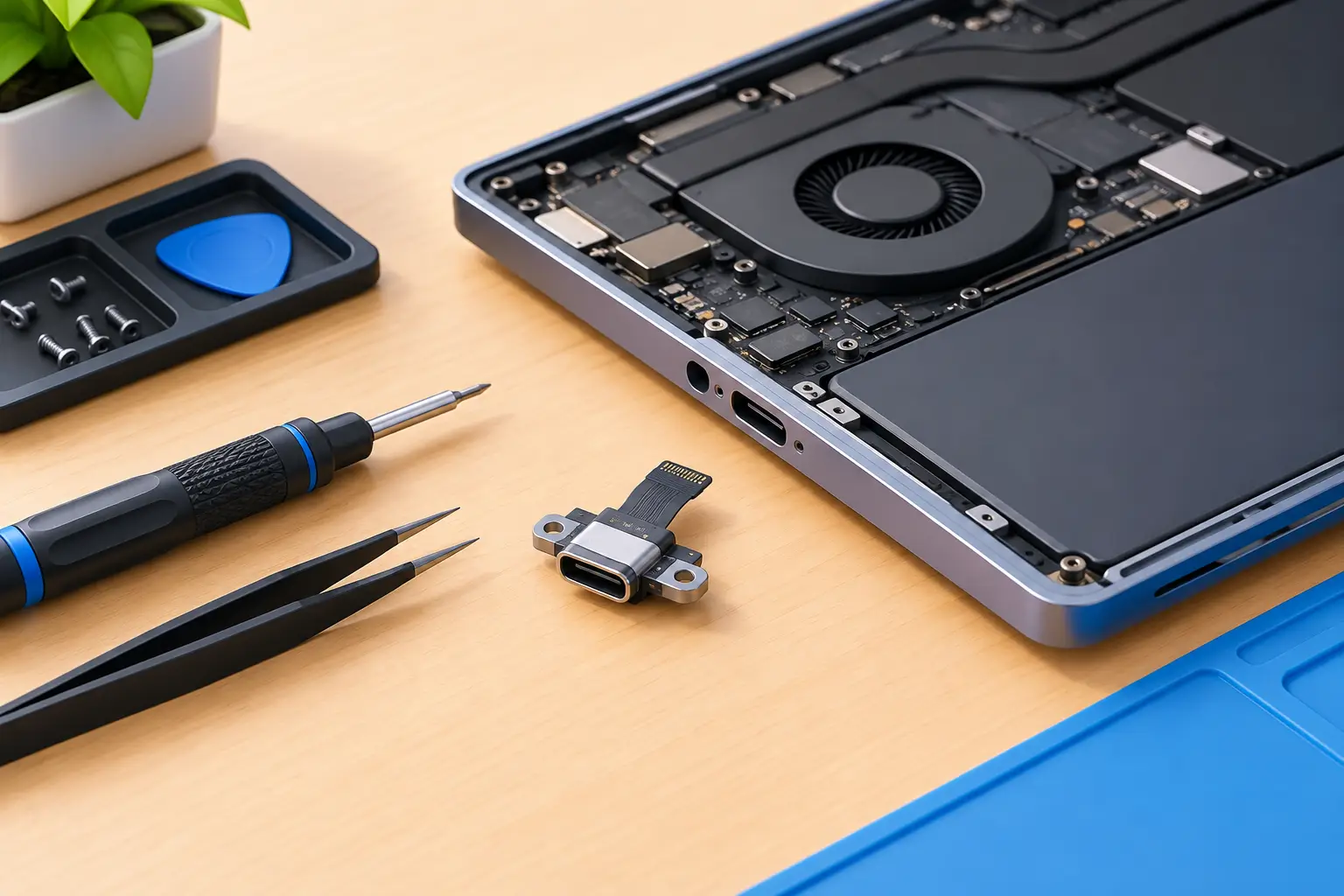
A laptop that only charges when the cable is held at a certain angle can turn a normal workday into a scramble. Before you assume the battery is finished, it may be time to replace laptop charging port components or repair the connection behind them. The right fix depends on your laptop model, the type of damage, and whether the charging port is a separate part or built into the motherboard.
A loose charging port is not something to ignore. Continued use can damage the charger, overheat the connection, or create a more expensive motherboard repair. The good news is that many charging port problems are repairable without replacing the entire laptop.
Signs Your Laptop Charging Port May Be Failing
The most common sign is intermittent charging. Your battery icon may switch between charging and not charging as the plug moves, or the charger may work only when positioned a certain way. A visibly loose port, a bent center pin, sparks, unusual heat, or a burning smell are more urgent warning signs. Stop using the charger immediately if you notice heat, discoloration, or an electrical smell.
Not every charging issue comes from the port. A damaged power adapter, worn cable, failing battery, incorrect replacement charger, or software power-management problem can produce similar symptoms. That is why a proper diagnostic should come before ordering parts or opening the computer.
For USB-C laptops, diagnosis matters even more. USB-C charging involves more than a physical connector. The port, charging controller, power delivery negotiation, cable, and charger wattage all have to work together. A phone charger may fit a laptop’s USB-C port but still provide too little power to charge it reliably.
Can You Replace a Laptop Charging Port?
In many laptops, yes. Older and many midrange models use a DC jack connected to the motherboard by a short cable. This is usually the simpler repair because the jack can be replaced as an individual assembly. The laptop still needs to be carefully disassembled, but the repair may not require soldering directly to the motherboard.
Other laptops have charging ports soldered to the motherboard. This is common with compact models and many USB-C devices. Replacing these ports requires board-level work, specialized soldering equipment, and experience protecting nearby components from heat. In some cases, the more sensible repair is replacing the motherboard rather than attempting a port-only repair.
Apple laptops and thin premium notebooks can be especially model-specific. The charging hardware may be tied to an I/O board, a USB-C daughterboard, or the logic board. A technician should confirm the exact model before quoting a repair. Two laptops that look nearly identical can have very different internal designs.
What Happens During a Charging Port Repair
A careful repair starts with testing the charger and checking the port for physical damage, debris, bent contacts, and looseness. The technician then verifies whether the laptop recognizes external power and whether the battery is accepting a charge. This avoids replacing a port when the actual issue is a bad adapter or internal charging circuit.
If the port is the problem, the laptop is powered down, opened, and disconnected from its battery before work begins. On models with a cable-connected DC jack, the damaged assembly is removed and replaced with a compatible part. On soldered-port models, the board must be removed and repaired under magnification, or replaced if damage extends beyond the connector.
After reassembly, the repair should be tested with the correct charger. A good test includes checking that the laptop runs on AC power, charges the battery consistently, and does not lose power when the cable is moved normally. It should also confirm that the port is secure and not overheating.
DIY Repair: When It Makes Sense and When It Does Not
Replacing a cable-connected charging jack can be a reasonable DIY project for someone comfortable opening laptops, following a teardown guide, and keeping track of screws and connectors. You will need the exact replacement part, proper precision tools, and patience. A wrong part or a damaged ribbon cable can turn a manageable repair into a larger one.
DIY repair is less practical when the port is soldered to the motherboard, the laptop has liquid damage, or the battery is swollen. A swollen battery is a safety concern and should not be punctured, bent, or charged. Board-level USB-C work is also not a good first soldering project. Those ports have small pins and closely packed circuitry that can be damaged quickly.
There is also a data consideration. Opening a laptop does not normally erase files, but accidental board damage can prevent the computer from starting. If your files are critical, make a backup first if the laptop will stay powered on long enough. If it will not, ask about data recovery before authorizing major repair work.
How Much Does It Cost to Replace a Laptop Charging Port?
The cost to replace a laptop charging port varies with the laptop’s design and the extent of the damage. A separate DC jack with a cable is generally less expensive than a soldered USB-C port. Labor increases when a technician must fully disassemble a thin laptop, remove the motherboard, perform board-level soldering, or address corrosion from liquid exposure.
The price can also change if the original port damaged the charging circuit, battery connector, or motherboard. This is why a flat promise before diagnosis is not always honest. A clear estimate should identify whether the repair is a port replacement, charger replacement, battery issue, or motherboard-level problem.
For Salt Lake City customers, Don’t Panic! Computer Repair provides free diagnostics and transparent hourly billing at $80 per hour. Mobile service can be particularly helpful when a laptop is needed for work, school, or a small business and taking it to a repair shop means more downtime.
Avoid Making the Damage Worse
Do not force a charger into a loose, damaged, or mismatched port. Avoid twisting the plug to make it work, since that can break internal contacts or crack solder joints further. Use the manufacturer’s charger or a properly rated replacement from a reputable source, especially for USB-C systems.
Keep pressure off the connector while charging. A laptop on a couch, bed, or crowded desk can leave the cable bent sharply or snagged. If a charging cable gets pulled, it can stress the port even if the laptop continues to charge afterward.
Also check for lint and debris before assuming you need a repair. A small amount of packed debris can prevent USB-C plugs from seating fully. Do not dig inside with metal objects. If gentle cleaning does not restore a solid connection, have the port inspected.
Frequently Asked Questions
Can a loose charging port be repaired?
Usually, yes. A loose port may have a broken mounting point, damaged internal contacts, or cracked solder joints. The repair approach depends on whether the port is a separate assembly or attached directly to the motherboard.
Why does my laptop say plugged in but not charging?
This can be caused by a failing charger, worn battery, damaged charging port, battery settings, or an internal charging circuit fault. Testing the charger and port before replacing the battery helps avoid unnecessary expense.
Is it safe to use a laptop with a damaged charging port?
It is not a good long-term plan. Stop using it immediately if the connector becomes hot, sparks, smells burned, or shows discoloration. Even without those signs, intermittent charging can worsen the damage over time.
How long does charging port replacement take?
Simple jack replacements can often be completed faster than motherboard-level repairs, but turnaround depends on the laptop model, part availability, and whether hidden damage is found. A diagnostic gives the most accurate answer.
A charging port problem does not have to become a lost workday or a reason to replace a laptop prematurely. Get the charger and port checked early, protect your files if possible, and choose the repair path that makes sense for your computer’s condition and value.