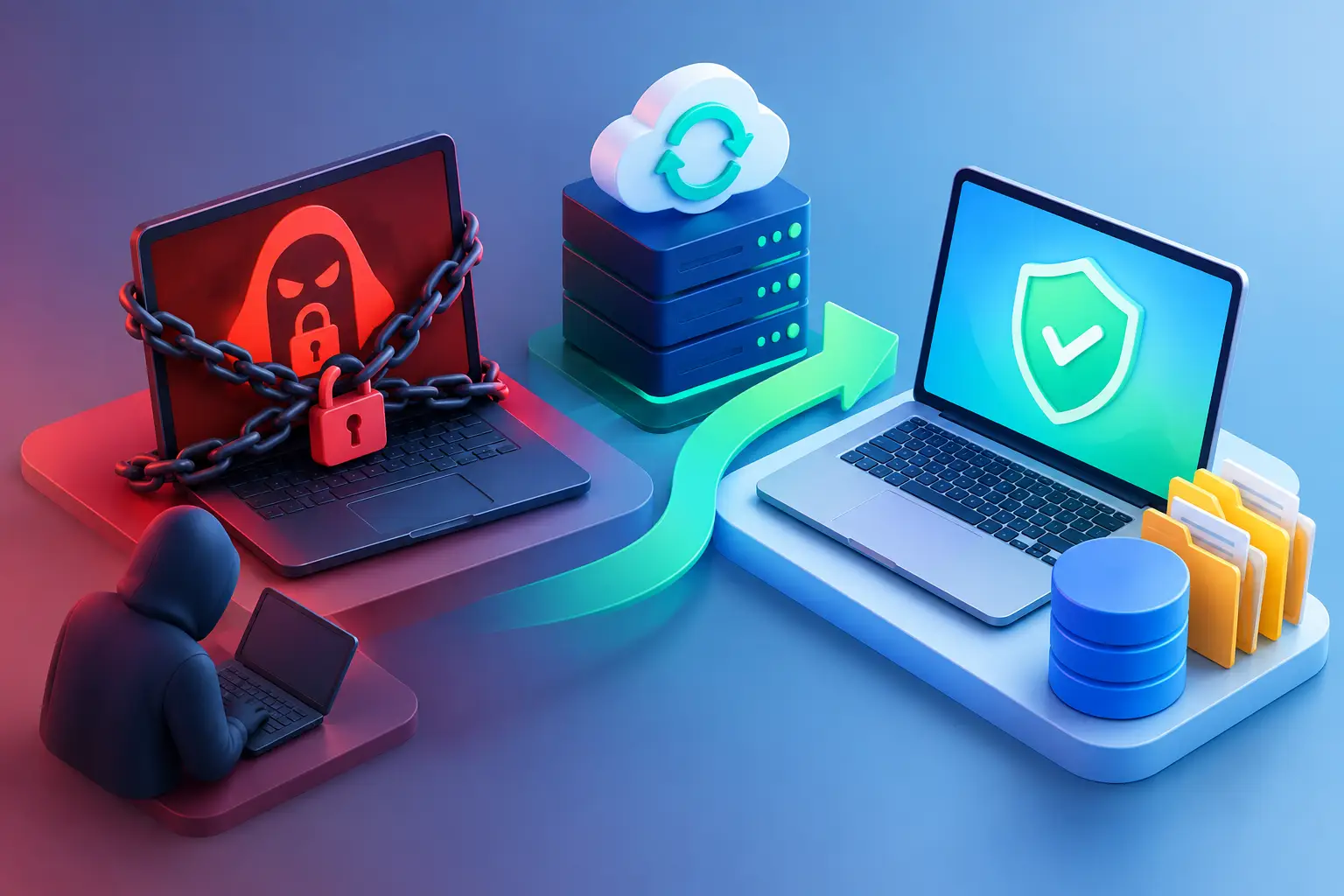
A ransomware recovery example is most useful when it shows the decisions that matter in the first few hours, not just the happy ending. When files suddenly will not open and a payment note appears on screen, the goal is simple: stop the spread, protect what is still intact, and restore work without making the situation worse.
For a Salt Lake City small business, ransomware can mean more than a few missing documents. It can interrupt customer appointments, lock up accounting records, prevent staff from accessing shared folders, and put years of work at risk. The good news is that a calm, organized response can dramatically improve the outcome.
A Ransomware Recovery Example: A Locked Office Network
Consider a small local office with eight Windows workstations, one file server, and cloud email. On a Monday morning, an employee noticed that spreadsheets and PDFs on a shared drive had unfamiliar file extensions. A text file in every folder instructed the company to contact the attackers and pay for a decryption key.
The employee did not click the note’s contact information. Instead, the office manager immediately unplugged the affected computer from the network and told the team to stop opening files. That one decision helped prevent the encryption from reaching every workstation.
A technician then separated the server and other computers from the network while checking for signs of encryption. Four workstations had been affected, along with a portion of the shared file drive. The company’s email system was not compromised, and its off-site backup had not been altered because it required separate credentials and retained previous backup versions.
The recovery process took two business days. The affected computers were wiped and reinstalled rather than trusted after cleanup. The server data was restored from a backup made before the attack. Staff reset passwords from known-clean devices, and the company added multi-factor authentication to key accounts. By the end of the second day, the office was working again, with only a few files created after the last backup needing to be recreated.
That is a successful recovery, but it was not effortless. The business lost time, had to verify restored files, and needed to change some daily habits. Still, it avoided paying the ransom and avoided a longer shutdown because it had a usable backup and acted quickly.
What Made This Recovery Work
The first win was isolation. Ransomware often tries to find network shares, connected drives, and other computers. Leaving an infected device connected so someone can keep working for another hour can turn a limited incident into a company-wide outage. Disconnect the computer from Wi-Fi and Ethernet, but do not immediately erase or restart it unless a technician directs you to do so. Evidence on the device can help determine what happened and whether other systems are at risk.
The second win was having a backup that was separate from the normal network. A backup that is permanently connected to a server can be encrypted along with everything else. Cloud sync alone is not always enough either. If encrypted files sync to the cloud, the damaged versions may replace the good ones. Version history and immutable or offline backup copies provide a much better safety net.
The third win was resisting the pressure to pay. Paying a ransom does not guarantee a working decryption key, full data recovery, or that attackers will not leave behind access for a later attack. Some organizations facing severe operational or safety consequences may consult legal counsel, cyber insurance, and incident-response specialists before making any decision. For most homes and small businesses, the practical focus should be recovery from clean copies and closing the security gap that allowed the attack.
The First Hour After You See a Ransom Note
Do not try random fixes, download a cleaner from an unfamiliar website, or start copying encrypted files over your backups. Slow down long enough to preserve your options.
Take these steps right away:
- Disconnect the affected computer from Wi-Fi, Ethernet, shared drives, and external storage devices.
- Tell other users not to open suspicious attachments, shared files, or pop-ups until the network is checked.
- Photograph the ransom message and write down when the problem was first noticed.
- Keep backup drives disconnected and do not log in to backup systems from a potentially infected computer.
- Contact a qualified IT professional to assess the device, network, accounts, and recovery options.
If a home computer is affected, isolate it from the home network and disconnect any external backup drive. If it is a work laptop, notify the business owner or IT contact immediately. A remote worker should not wait until returning to the office. The home router, shared folders, saved passwords, and connected work resources may need review.
Recovery Is More Than Getting Files Back
A clean-looking desktop does not prove the threat is gone. Ransomware can arrive through a fake invoice, a stolen password, an unpatched remote access tool, or a malicious download. In some attacks, criminals copy data before encrypting it and threaten to publish it if payment is not made. That changes the response from a file-recovery problem to a possible data exposure problem.
A proper recovery usually includes rebuilding affected computers from a known-good operating system, scanning and validating other devices, restoring files from a clean backup, and resetting passwords. Business owners should also review administrative accounts, remote access settings, email forwarding rules, firewall logs, and any unusual sign-ins.
There is a trade-off here. Restoring only the encrypted files may appear faster, but it can leave an attacker’s tools or a hidden persistence method behind. Reinstalling systems takes longer, yet it provides much more confidence that employees are returning to a clean environment. The right choice depends on the type of ransomware, the systems involved, and the evidence found during diagnosis.
How to Know Whether Your Backup Is Ready
Many people discover too late that they have a backup job, but not a recoverable backup. Files may not have been included, storage may have filled up months ago, or the backup may have been encrypted along with the computer.
For a small business, keep at least one backup copy away from the primary network and test a restore on a schedule. Test more than whether the backup software says successful. Open a restored document, confirm that important folders are present, and make sure staff can access the data they need. For servers and line-of-business software, verify that databases and application settings can be restored as well.
Home users should protect documents, photos, tax records, and project files with versioned cloud storage plus a separate external or offline copy when possible. The amount of protection should match the cost of losing the files. Family photos may be irreplaceable even if the computer itself can be replaced tomorrow.
Prevention After the Recovery
The most valuable lesson from a ransomware event is usually not technical. It is that small habits make a real difference. Employees need a simple way to report suspicious emails without embarrassment. Passwords should be unique, accounts should use multi-factor authentication where available, and software updates should not be postponed indefinitely.
Businesses should limit who can access sensitive shared folders and administrative tools. A staff member who only needs to read customer records should not have permission to change server settings. This reduces accidental damage and limits what an attacker can reach through one compromised account.
For Salt Lake City homes and small businesses that need help after an attack, Don’t Panic! Computer Repair can assess affected devices, help isolate the problem, and work through practical recovery options on-site or remotely. The priority is clear communication: what is affected, what can be restored, and what needs to happen next.
If ransomware ever appears on a screen, treat it like a building alarm: isolate the danger, avoid panic-driven decisions, and get experienced help before the damage spreads. A measured response in the first hour can protect far more than the files currently on display.